NOW - Personal Task Manager
I build my own tool to capture ideas/tasks frictionless and boost my focus! -> https://now-task-app.vercel.app 🔥
Year :
2026
Industry :
SaaS B2C - Productivity
Client :
Side Personal Project
Strategic Challenge
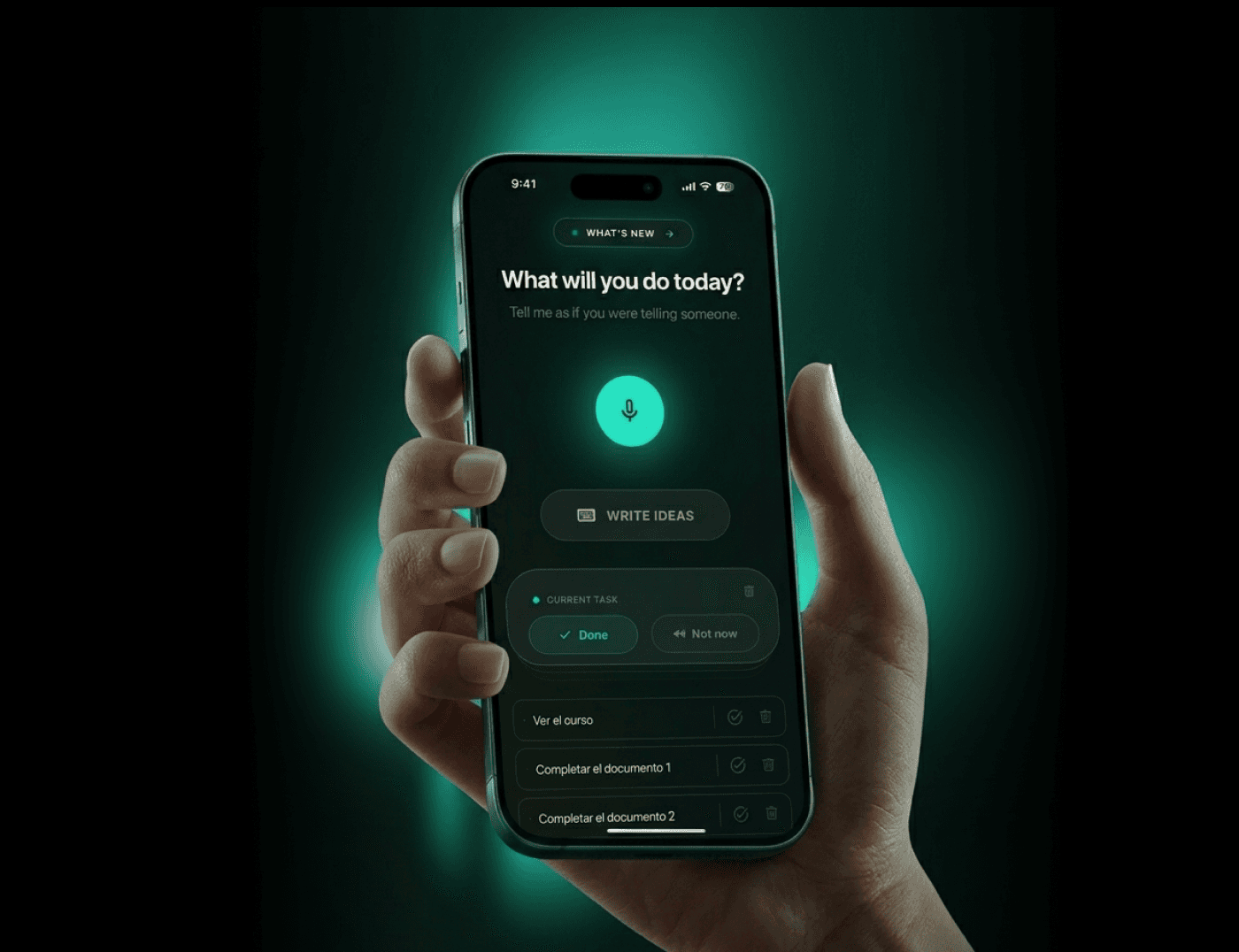
Making task lists helps me create mental order, but my existing workflow still had too much friction. Capturing ideas, projects, and tasks required jumping between tools, context, causing loss of focus. This project explored how a single system could reduce capture friction and keep task management in one place.
Design hypothesis: If I reduce the friction of capturing information and centralize my tasks in one system, planning time will decrease and my ability to focus on execution will improve.
Critical Design Decisions
1. Designing a cross-platform experience
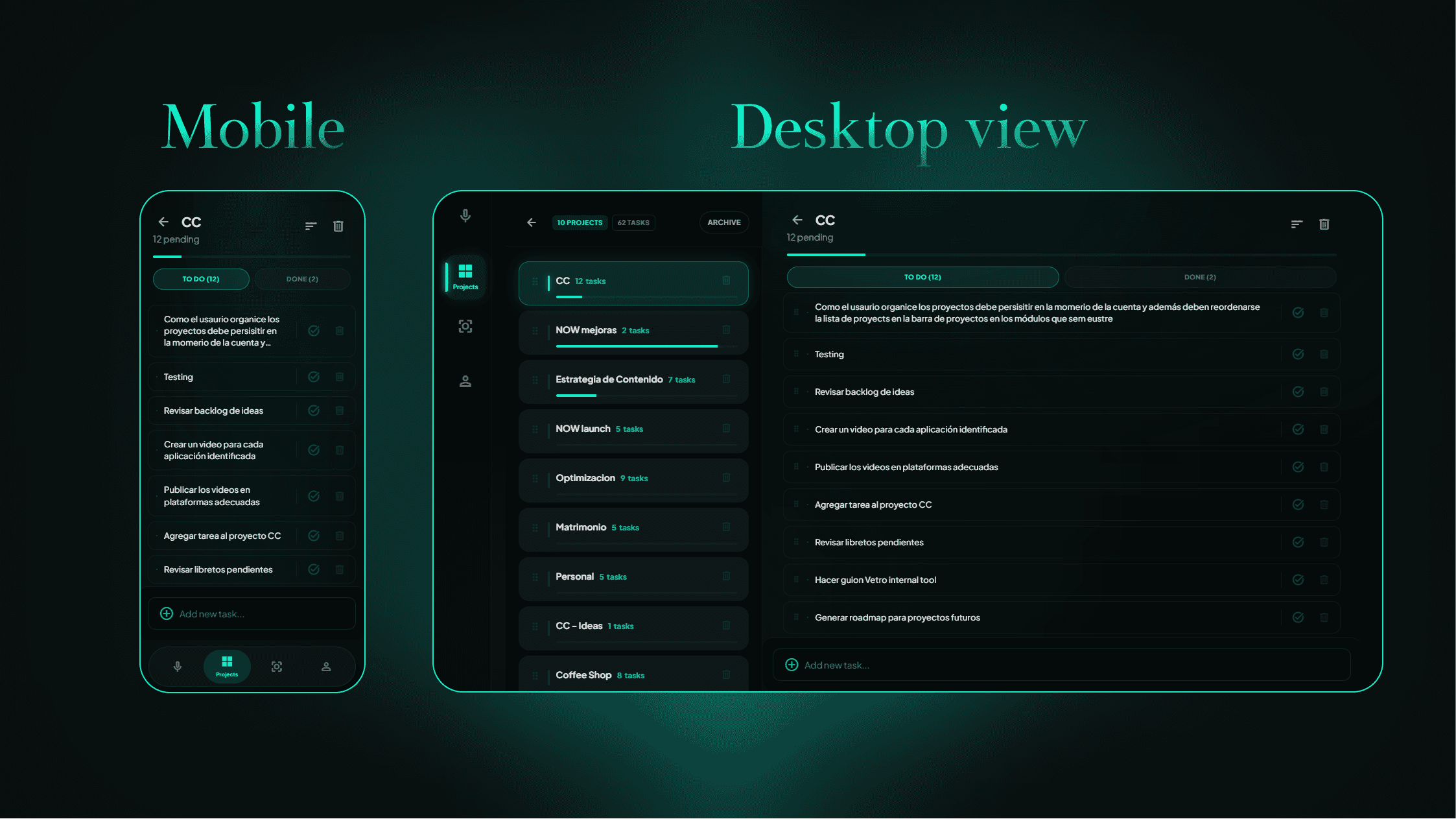
The product was designed as a multi-platform system with a mobile-first capture layer and a desktop workspace layer. Mobile supports quick task capture on the go, while desktop works as a persistent active tab for planning and task management. Layouts adapt to available screen space, showing more context and information density when used on larger screens.
2. Supporting voice-based project capture
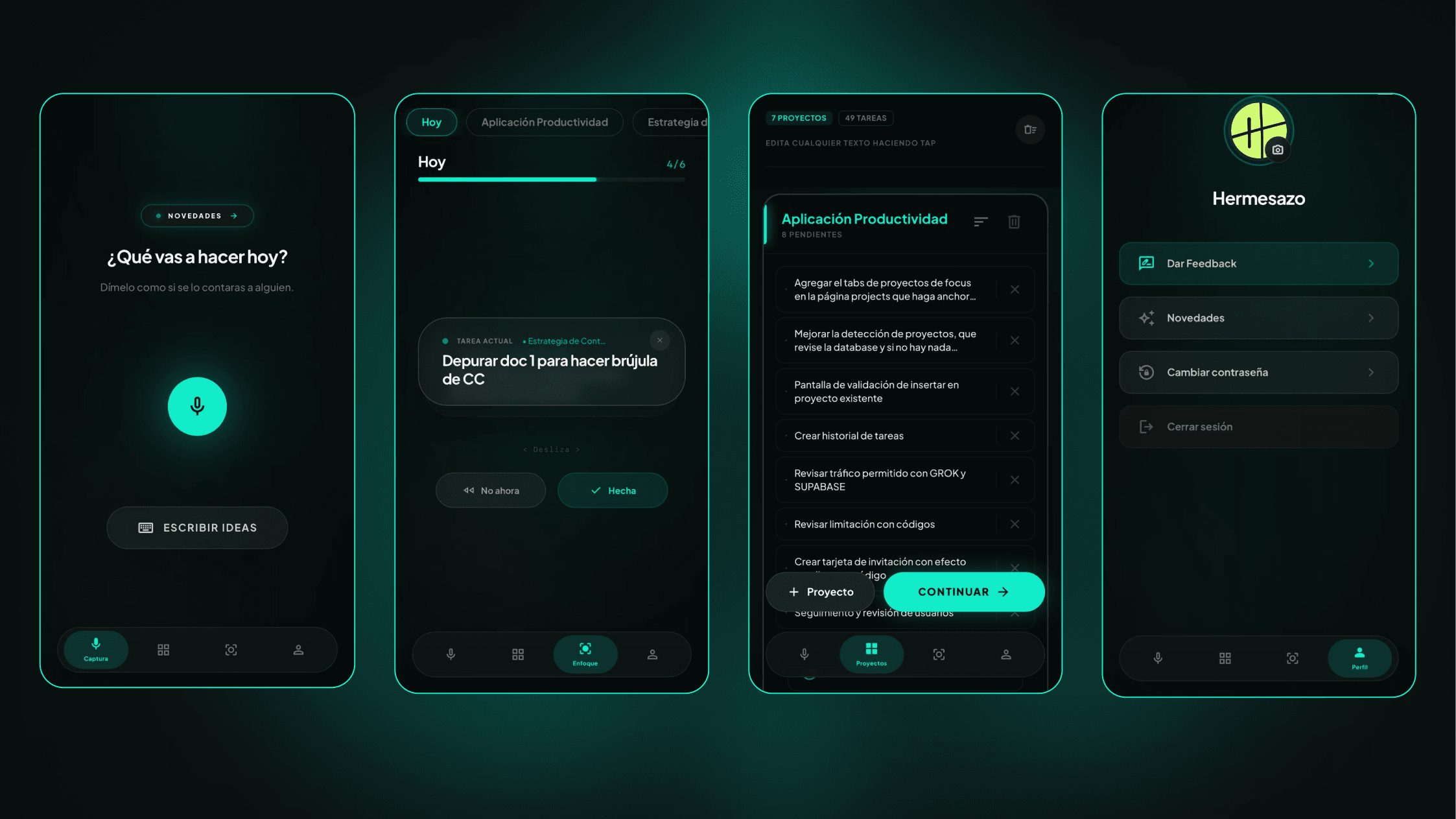
Voice input is the core of the product, It was added as a faster way to capture projects and tasks when typing would create unnecessary friction. Whisper-large-v3 was used for speech-to-text, while llama-3.3-70b-versatile structured the transcript into projects and tasks. To avoid unwanted duplicates, the app compares normalized project names against existing records and asks for user confirmation before saving.
3. Creating a flexible action system
Task actions were designed to be available across different modules instead of being locked into a single workflow. This made it possible to update task status or delete items from multiple parts of the product without forcing users to jump between modules. The goal was to reduce interaction cost and keep momentum during use.
4. Enabling instant synchronization across devices
To keep the experience consistent across devices, the product uses a cross-device sync hook powered by realtime database events. Updates are debounced by 700 ms to avoid noisy refresh behavior, and the app automatically refreshes when returning to the foreground if changes happened in the background. This made the system feel alive and reliable across contexts of use.
Trade-offs
1. Prioritizing task capture and execution triggers over task analytics
The first MVP focused on reducing friction around capturing and starting tasks rather than analyzing productivity performance or time tracking. The decision favored immediate execution support over reflective tracking metrics and optimization features.
2. Imperfect UI vs. speed of building
The main screens of each module were intentionally designed, but many secondary components were iterated directly in code. This allowed faster development while still maintaining a consistent visual design standard, even if not every area was fully polished from the start.
Learnings
Is it possible to design an app without figma
I kept my design process the same, in term of steps, and I just use AI to accelerate all of them. I care about creating my own component library, before jumping to high-fidelity prototyping, you can check my UI lib. below.
Shipping with a little embarrassment speeds everything up
The first version was released when only around 30% of the current product existed. Launching early created faster feedback loops and helped the product evolve based on real use instead of hypothetical perfection.
2. Using your own product creates an endless stream of improvements
Dogfooding exposed interaction details, friction points, and complex edge cases much faster than planning alone ever could. Real use made product gaps obvious.
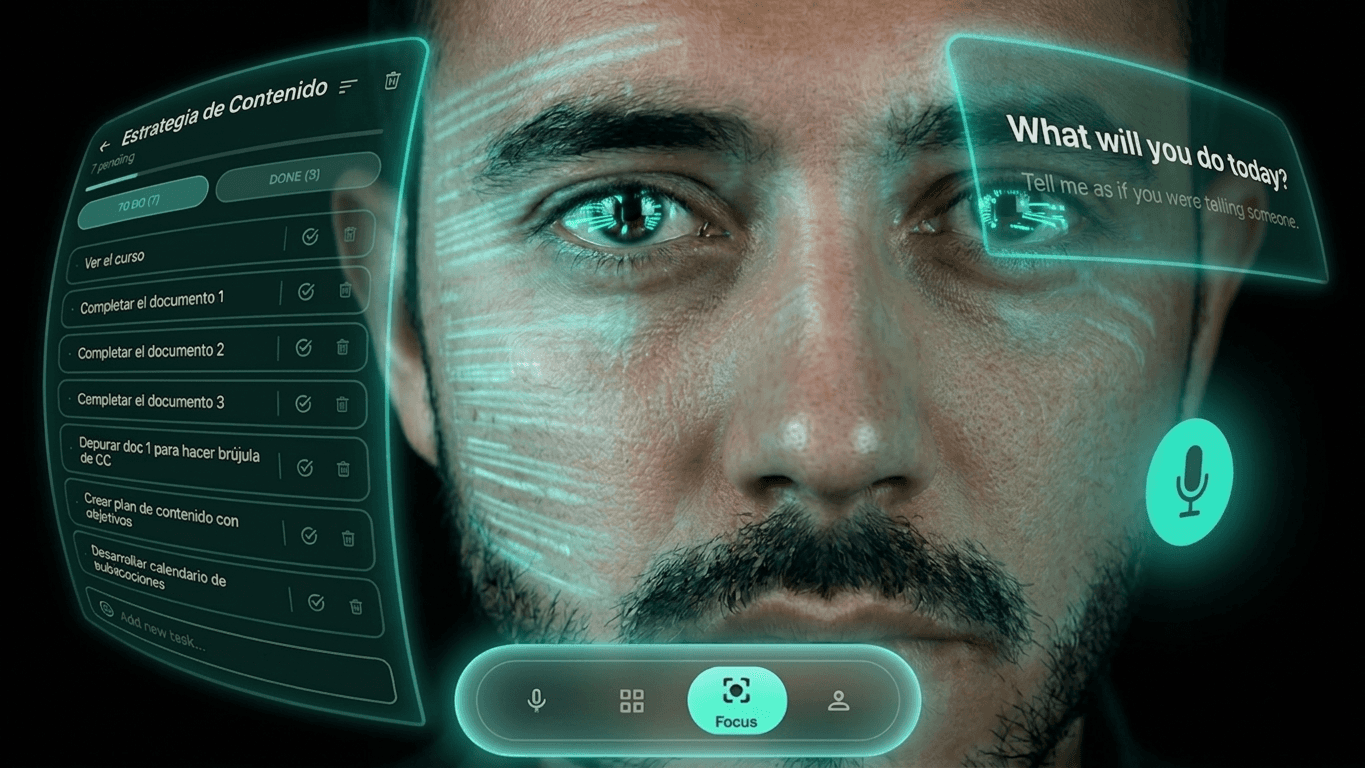
Fun fact: This is how I feel every time I use my App 👇🏼
🔥 Test it! -> https://now-task-app.vercel.app

NOW - Personal Task Manager
I build my own tool to capture ideas/tasks frictionless and boost my focus! -> https://now-task-app.vercel.app 🔥
Year :
2026
Industry :
SaaS B2C - Productivity
Client :
Side Personal Project
Strategic Challenge
Making task lists helps me create mental order, but my existing workflow still had too much friction. Capturing ideas, projects, and tasks required jumping between tools, context, causing loss of focus. This project explored how a single system could reduce capture friction and keep task management in one place.
Design hypothesis: If I reduce the friction of capturing information and centralize my tasks in one system, planning time will decrease and my ability to focus on execution will improve.
Critical Design Decisions
1. Designing a cross-platform experience
The product was designed as a multi-platform system with a mobile-first capture layer and a desktop workspace layer. Mobile supports quick task capture on the go, while desktop works as a persistent active tab for planning and task management. Layouts adapt to available screen space, showing more context and information density when used on larger screens.
2. Supporting voice-based project capture
Voice input is the core of the product, It was added as a faster way to capture projects and tasks when typing would create unnecessary friction. Whisper-large-v3 was used for speech-to-text, while llama-3.3-70b-versatile structured the transcript into projects and tasks. To avoid unwanted duplicates, the app compares normalized project names against existing records and asks for user confirmation before saving.
3. Creating a flexible action system
Task actions were designed to be available across different modules instead of being locked into a single workflow. This made it possible to update task status or delete items from multiple parts of the product without forcing users to jump between modules. The goal was to reduce interaction cost and keep momentum during use.
4. Enabling instant synchronization across devices
To keep the experience consistent across devices, the product uses a cross-device sync hook powered by realtime database events. Updates are debounced by 700 ms to avoid noisy refresh behavior, and the app automatically refreshes when returning to the foreground if changes happened in the background. This made the system feel alive and reliable across contexts of use.
Trade-offs
1. Prioritizing task capture and execution triggers over task analytics
The first MVP focused on reducing friction around capturing and starting tasks rather than analyzing productivity performance or time tracking. The decision favored immediate execution support over reflective tracking metrics and optimization features.
2. Imperfect UI vs. speed of building
The main screens of each module were intentionally designed, but many secondary components were iterated directly in code. This allowed faster development while still maintaining a consistent visual design standard, even if not every area was fully polished from the start.
Learnings
Is it possible to design an app without figma
I kept my design process the same, in term of steps, and I just use AI to accelerate all of them. I care about creating my own component library, before jumping to high-fidelity prototyping, you can check my UI lib. below.
Shipping with a little embarrassment speeds everything up
The first version was released when only around 30% of the current product existed. Launching early created faster feedback loops and helped the product evolve based on real use instead of hypothetical perfection.
2. Using your own product creates an endless stream of improvements
Dogfooding exposed interaction details, friction points, and complex edge cases much faster than planning alone ever could. Real use made product gaps obvious.
Fun fact: This is how I feel every time I use my App 👇🏼
🔥 Test it! -> https://now-task-app.vercel.app
NOW - Personal Task Manager
I build my own tool to capture ideas/tasks frictionless and boost my focus! -> https://now-task-app.vercel.app 🔥
Year :
2026
Industry :
SaaS B2C - Productivity
Client :
Side Personal Project
Strategic Challenge
Making task lists helps me create mental order, but my existing workflow still had too much friction. Capturing ideas, projects, and tasks required jumping between tools, context, causing loss of focus. This project explored how a single system could reduce capture friction and keep task management in one place.
Design hypothesis: If I reduce the friction of capturing information and centralize my tasks in one system, planning time will decrease and my ability to focus on execution will improve.
Critical Design Decisions
1. Designing a cross-platform experience
The product was designed as a multi-platform system with a mobile-first capture layer and a desktop workspace layer. Mobile supports quick task capture on the go, while desktop works as a persistent active tab for planning and task management. Layouts adapt to available screen space, showing more context and information density when used on larger screens.
2. Supporting voice-based project capture
Voice input is the core of the product, It was added as a faster way to capture projects and tasks when typing would create unnecessary friction. Whisper-large-v3 was used for speech-to-text, while llama-3.3-70b-versatile structured the transcript into projects and tasks. To avoid unwanted duplicates, the app compares normalized project names against existing records and asks for user confirmation before saving.
3. Creating a flexible action system
Task actions were designed to be available across different modules instead of being locked into a single workflow. This made it possible to update task status or delete items from multiple parts of the product without forcing users to jump between modules. The goal was to reduce interaction cost and keep momentum during use.
4. Enabling instant synchronization across devices
To keep the experience consistent across devices, the product uses a cross-device sync hook powered by realtime database events. Updates are debounced by 700 ms to avoid noisy refresh behavior, and the app automatically refreshes when returning to the foreground if changes happened in the background. This made the system feel alive and reliable across contexts of use.
Trade-offs
1. Prioritizing task capture and execution triggers over task analytics
The first MVP focused on reducing friction around capturing and starting tasks rather than analyzing productivity performance or time tracking. The decision favored immediate execution support over reflective tracking metrics and optimization features.
2. Imperfect UI vs. speed of building
The main screens of each module were intentionally designed, but many secondary components were iterated directly in code. This allowed faster development while still maintaining a consistent visual design standard, even if not every area was fully polished from the start.
Learnings
Is it possible to design an app without figma
I kept my design process the same, in term of steps, and I just use AI to accelerate all of them. I care about creating my own component library, before jumping to high-fidelity prototyping, you can check my UI lib. below.
Shipping with a little embarrassment speeds everything up
The first version was released when only around 30% of the current product existed. Launching early created faster feedback loops and helped the product evolve based on real use instead of hypothetical perfection.
2. Using your own product creates an endless stream of improvements
Dogfooding exposed interaction details, friction points, and complex edge cases much faster than planning alone ever could. Real use made product gaps obvious.
Fun fact: This is how I feel every time I use my App 👇🏼
🔥 Test it! -> https://now-task-app.vercel.app